The Hidden Leak: Why Unencrypted System Clipboards Compromise NPI
When title agency owners audit their cybersecurity perimeter and evaluate their overall Title Automation strategy, they usually focus on the perimeter walls. They invest heavily in enterprise firewalls, mandating multi-factor authentication (MFA) for their Title Production System (TPS), and deploying automated wire fraud prevention software. These defenses are critical responses to an increasingly dangerous and complex financial fraud landscape.
But more often than not, a massive, invisible compliance leak is occurring right under leadership’s nose, occurring hundreds of times a day on the local desktop workstation.
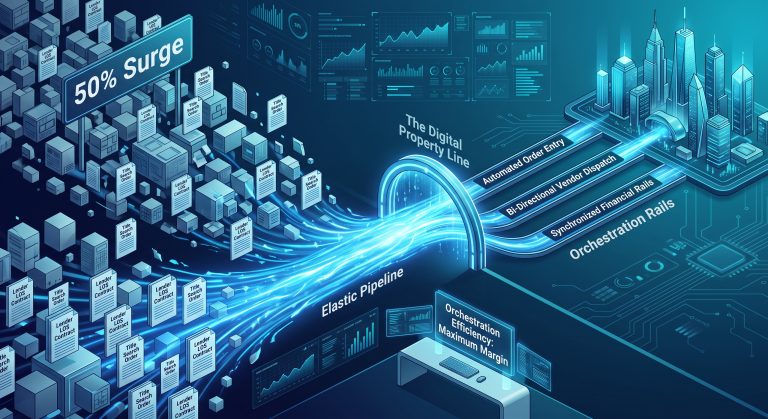
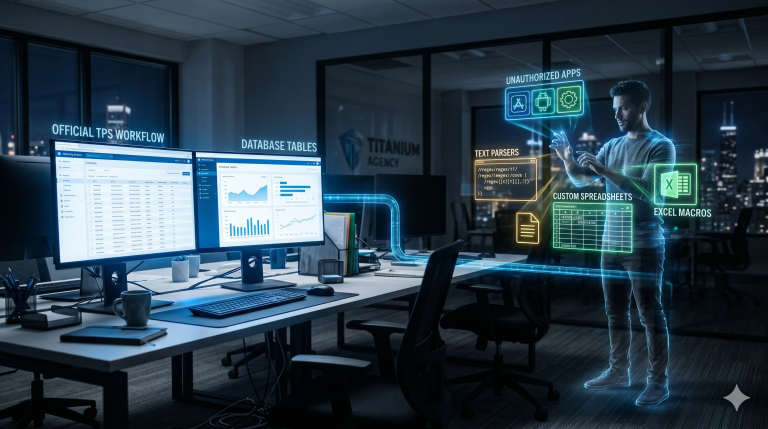
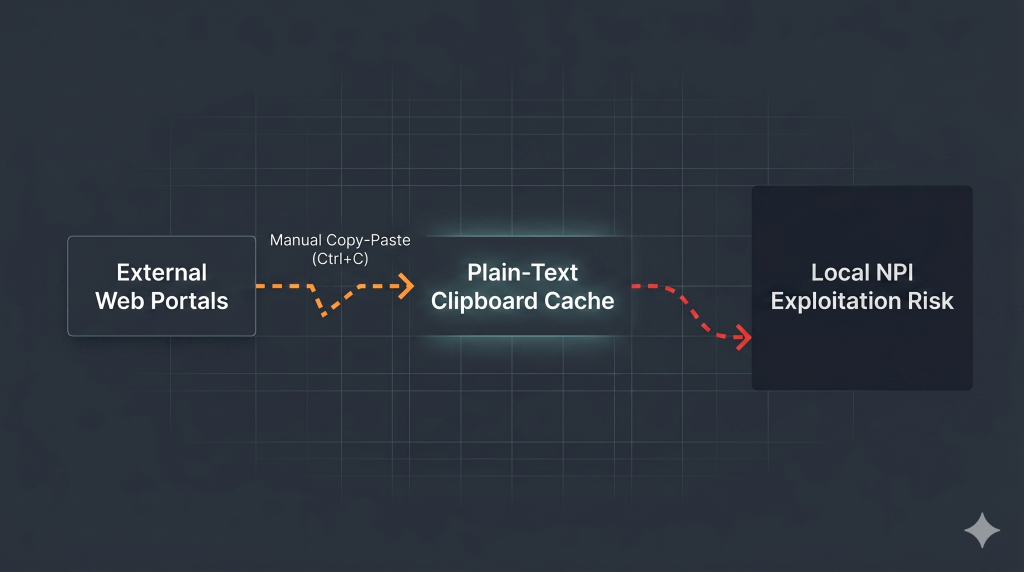
It happens during the manual “handoff” when data moves across the Digital Property Line. When an escrow officer is forced to leave their native TPS environment, navigate to an isolated browser tab, and log into a non-integrated vendor portal to order an abstract or verify a payment, they must bridge the gap manually.
To do this, they rely on a seemingly harmless muscle-memory shortcut: Ctrl+C and Ctrl+V.
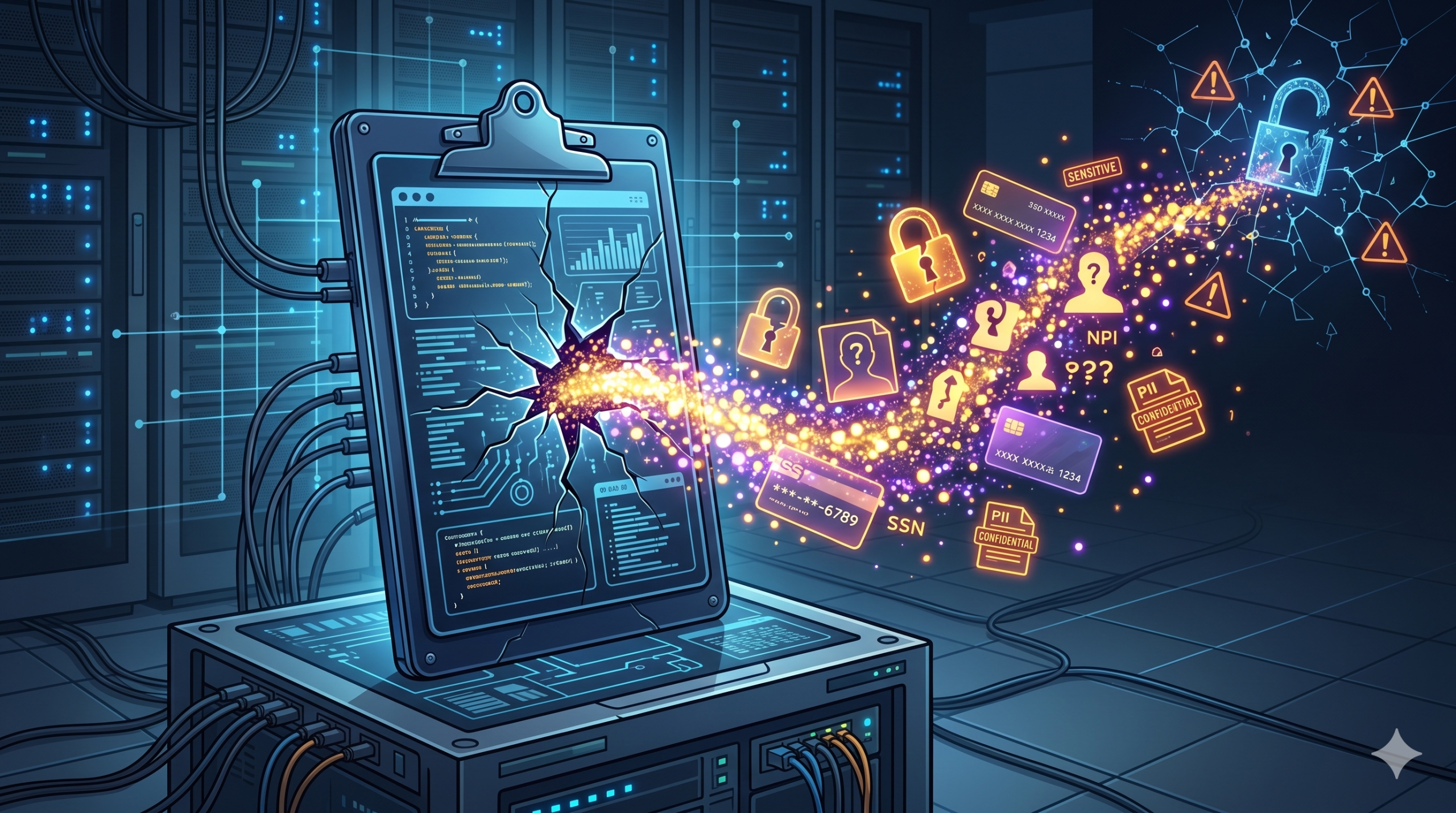
What your processors do not realize is that the moment they copy non-public personal information (NPI)—social security numbers, loan amounts, wire routing numbers, or buyer addresses—that sensitive data drops into an unencrypted, highly vulnerable local storage cache: the operating system clipboard.
If your team is manually copy-pasting data across disconnected Islands of Excellence, your Title Automation strategy isn’t just suffering an efficiency deficit; it is actively exposing NPI to local security exploits.
Understanding the Forensic Risk of the System Clipboard
Most operations managers view the desktop clipboard as a temporary, volatile bridge that disappears the moment a new text string is copied. In the modern operating system landscape, that assumption is a critical misunderstanding of endpoint architecture.
Both Windows and macOS now feature automated “Clipboard History” and cloud-syncing capabilities. When an escrow assistant copies a buyer’s wire routing numbers, that plain-text data doesn’t just sit in temporary memory—it is cached locally on the hard drive.
Peer-reviewed cybersecurity research confirms that unencrypted system clipboards represent a critical corporate data-leak vector. Because the clipboard acts as a globally accessible resource across the operating system, anything placed onto it essentially becomes public to other running applications, making it a highly exploitable vector for data-stealing attacks [1].
Furthermore, forensic studies on software permissions reveal that operating systems enforce weak or non-existent access controls on the clipboard. This allows background processes to silently read, monitor, and store sensitive copied text without triggering standard OS permissions, administrative security warnings, or requiring explicit user consent [2].
If a processor has an unvetted background app running, or happens to visit a compromised webpage in an open tab while working a closing file, a malicious script can easily execute a hidden attack known as clipboard sniffing.
The script silently copies the plain-text NPI cached in your clipboard background history. True security isn’t just about logging into secure portals; it is about ensuring that sensitive closing data never has to leave a secure, encrypted transit loop to get where it needs to go.
The Double Penalty: Cyber Risk and the 40% Cognitive Tax
Relying on manual copy-pasting doesn’t just create an endpoint security liability—it heavily fragments your operational velocity. Research compiled by the American Psychological Association (APA) proves that the brief mental blocks created by shifting between separate digital environments cost up to 40% of an individual’s productive capacity [3].
Every time a closer “swivels” their attention to copy-paste NPI between portals, they force their brain to re-index their task list, driving up portal fatigue.
When processors are mentally exhausted by navigating a scavenger hunt of open browser windows, human keying errors inevitably spike. When you compound the 40% cognitive deficit with the forensic data-leak risks of clipboard sniffing, the manual “bucket brigade” method of transferring data between apps becomes an unsustainable operational burden.
Title agencies cannot protect their processing speed or their compliance perimeter by continuing to treat their skilled professionals as manual data conduits.
Securing the Pipeline through True Orchestration
To close the clipboard leak, we must eliminate the operational necessity for Ctrl+C and Ctrl+V entirely. This requires transitioning your tech stack away from fragmented portal integrations and moving toward native, bi-directional Orchestration.
Your core TPS must remain the secure, undisturbed command center of your entire closing operation. Instead of forcing staff to manually ferry plain-text NPI outside your system of record, an agnostic middleware conduit like ShortTrack establishes a sealed digital pipeline beneath the surface of your business.
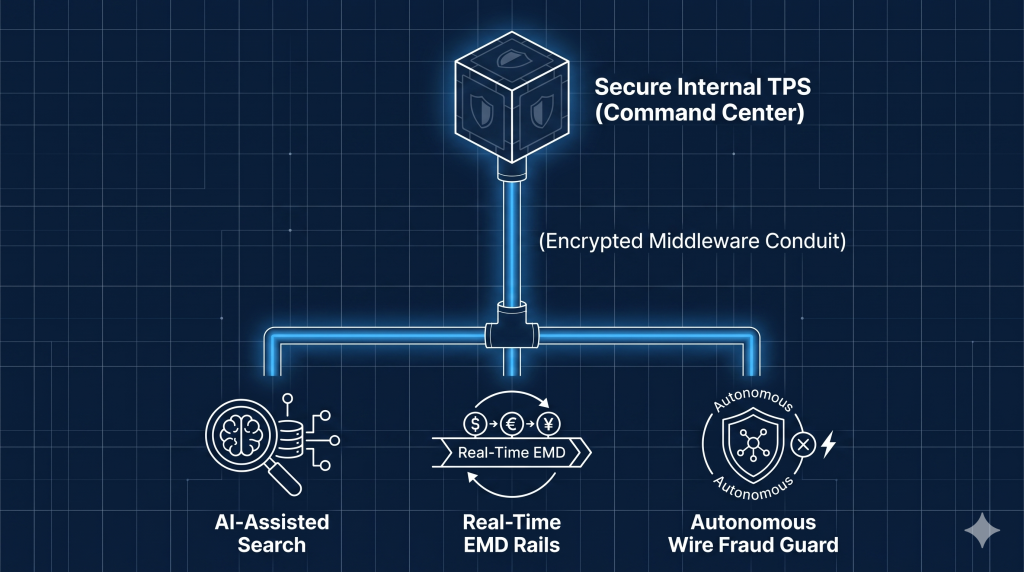
When your specialized tools are completely orchestrated into your native workflow, data travels system-to-system, data-point to data-point, securely encrypted at every leg of the trip:
- AI Search Intelligence: AI document extractions and mapped legal descriptions populate directly into your native TPS layout fields without anyone touching a keyboard or clipboard.
- Real-Time EMD Rails: Earnest money deposit tracking and banking loops synchronize directly with the file ledger, eliminating manual entry.
- Autonomous Fraud Prevention: Wire fraud metrics and validation flags route instantly inside your system of record, maintaining a flawless compliance ledger.
Build a Sealed Ecosystem
Technology should function as a secure force multiplier for your closing team, not an administrative burden that creates security exposures on your local workstations. The agencies that will scale safely are those that stop collecting isolated standalone portals and start building unified ecosystems.
Stop forcing your processors to act as insecure human middleware. Close the clipboard leak, secure your digital property line, and let ShortTrack orchestrate your operational flow [4]
References
- [1] Zhang, X., & Du, W. (2014). Attacks on Android clipboard. Lecture Notes in Computer Science, 72–91. (Security research demonstrating that because OS clipboards are globally accessible system resources, they serve as highly exploitable vectors for data-stealing malware to harvest sensitive credentials).
- [2] Chen, Y., Tang, R., Zuo, C., et al. (2024). Attention! Your copied data is under monitoring. Proceedings of the IEEE/ACM 46th International Conference on Software Engineering. (Systematic forensic study revealing that operating systems enforce weak access controls, allowing background processes to silently monitor and store sensitive clipboard data without user permission).
- [3] American Psychological Association (APA). Multitasking: Changing Costs. (Neuro-ergonomic data proving that context-switching between digital platforms imposes a 40% penalty on productive cognitive capacity).
- [4] ShortTrack Operational Insights. The Digital Property Line Framework. (Proprietary strategic analysis defining the security boundaries and transaction friction points between native production software and external portals).